JUNE UPDATES 2026
In June, we introduced an entirely new xTiles
We have reworked My Planner, rebuilt Tasks, transformed Mobile, and enabled direct integration between xTiles and Claude. This is the largest release in xTiles history. Here is what has changed and why it matters.
xTiles + Claude — Your Workspace, Now AI‑Powered
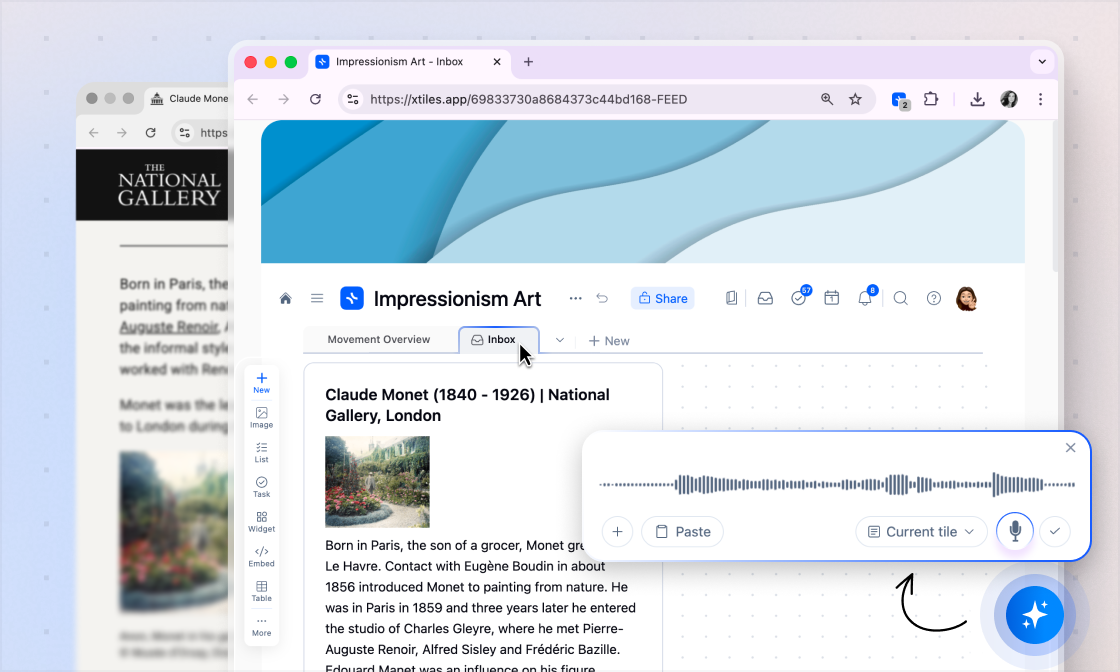
xTiles now connects directly to Claude via MCP, allowing Claude to read, interact with, and act on your xTiles data.
Open Cowork or Chat and type one of these commands:
- ✦Daily Brief — connects to your Gmail, Slack, and Calendar, picks out what matters, and saves it to xTiles. Your morning catch-up, without the 30-minute scroll.
- ✦Today News — a digest of the topics you care about, ready when you open xTiles.
- ✦Evening Reflection — looks at how your day went and writes it up for you. Patterns you'd never notice on your own, there when you need them.
- ✦Weekly Review — five minutes to see where your week actually went: what moved, what didn't, what to do differently.
As workflows become more complex, the integration becomes increasingly valuable. You can turn email threads into projects, plan your week with a single prompt, or let Claude manage organization while you focus on your work.
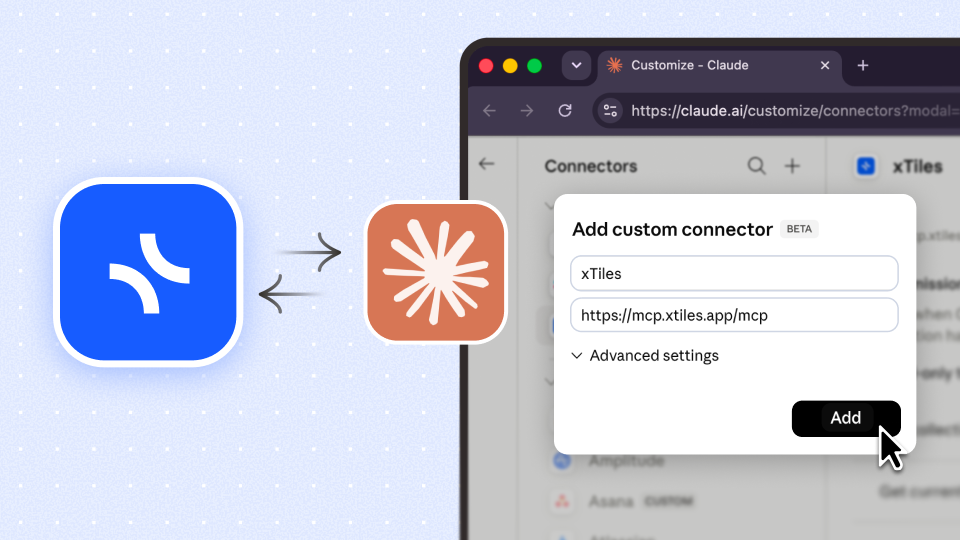
xTiles + Claude — Your Workspace, Now AI‑Powered
xTiles now connects directly to Claude via MCP, allowing Claude to read, interact with, and act on your xTiles data.
Open Cowork or Chat and type one of these commands:
- ✦Daily Brief — connects to your Gmail, Slack, and Calendar, picks out what matters, and saves it to xTiles. Your morning catch-up, without the 30-minute scroll.
- ✦Today News — a digest of the topics you care about, ready when you open xTiles.
- ✦Evening Reflection — looks at how your day went and writes it up for you. Patterns you'd never notice on your own, there when you need them.
- ✦Weekly Review — five minutes to see where your week actually went: what moved, what didn't, what to do differently.
As workflows become more complex, the integration becomes increasingly valuable. You can turn email threads into projects, plan your week with a single prompt, or let Claude manage organization while you focus on your work.
Tasks 2.0 — Everything You Need, Right on the Checkbox
Due dates that tell you what matters
Set priority in one hover
Assign smarter with Multi-assign
Tasks 2.0 — Everything You Need, Right on the Checkbox
Due dates that tell you what matters
Set priority in one hover
Assign smarter with Multi-assign
My Planner — Reworked for Focus
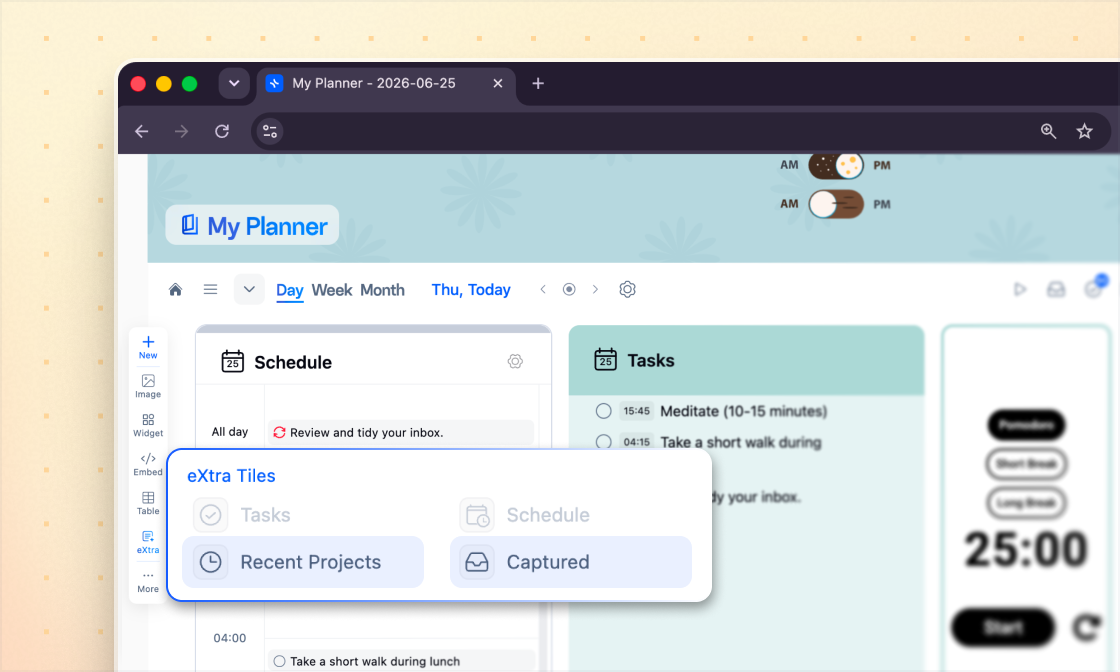
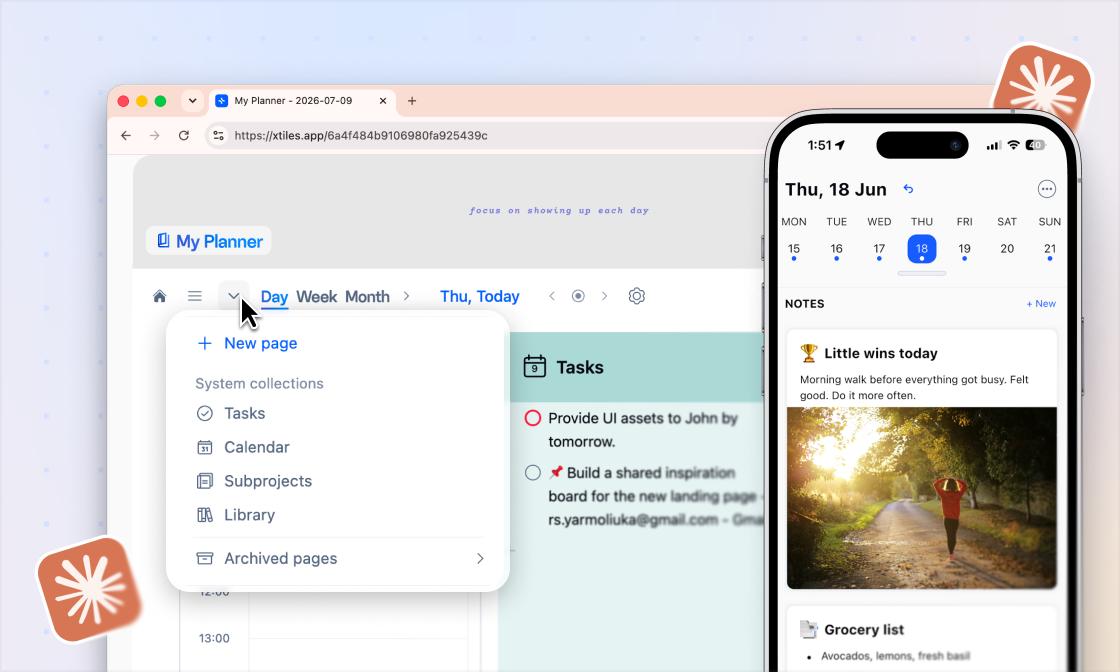
The Planner has been redesigned for uninterrupted planning. All tabs, including custom pages and system tabs such as Calendar, Projects, and Library, are now accessible from a compact dropdown on the left. Templates have been relocated to the bottom left corner. Your complete Task Collection, which includes every task across your xTiles workspace, is now accessible from the task icon in the top right, next to the Task List. A quieter Planner. The same full power.
My Planner — Reworked for Focus
The Planner has been redesigned for uninterrupted planning. All tabs, including custom pages and system tabs such as Calendar, Projects, and Library, are now accessible from a compact dropdown on the left. Templates have been relocated to the bottom left corner. Your complete Task Collection, which includes every task across your xTiles workspace, is now accessible from the task icon in the top right, next to the Task List. A quieter Planner. The same full power.
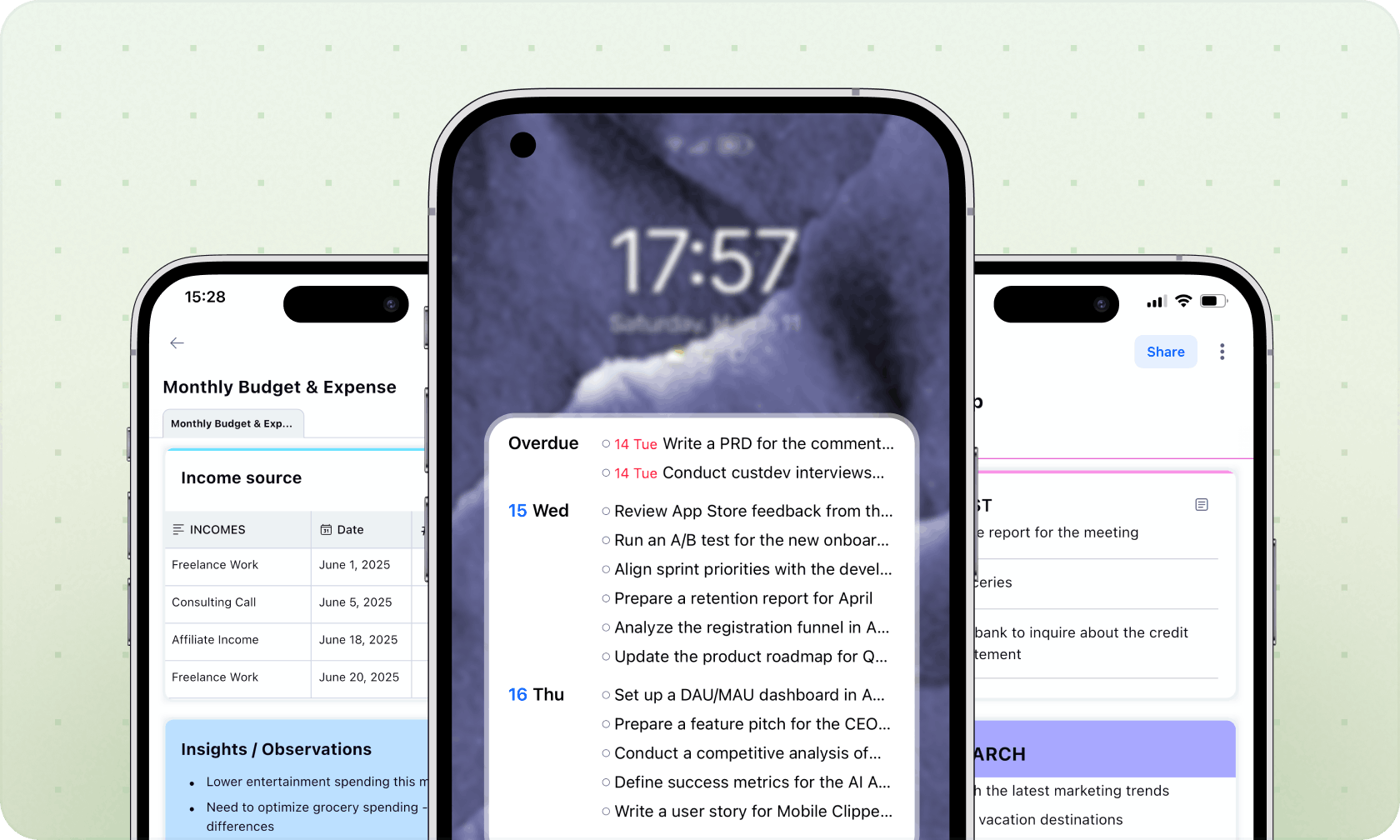
Mobile 2.0 — Your Entire Day, In Your Pocket
Daily Screen
Better navigation everywhere
Everything else in 2.0
- ✦Overdue tasks now visible with a dedicated filter
- ✦Updated project styles: minimal look, covers, custom icons
- ✦Pin your project Inbox page to the Inbox screen for quick capture
- ✦Push notifications now show the sender's photo
- ✦Redesigned Notifications Screen
- ✦Updated regional settings: date format, time format, week start
Mobile 2.0 — Your Entire Day, In Your Pocket
Daily Screen
Better navigation everywhere
Everything else in 2.0
- ✦Overdue tasks now visible with a dedicated filter
- ✦Updated project styles: minimal look, covers, custom icons
- ✦Pin your project Inbox page to the Inbox screen for quick capture
- ✦Push notifications now show the sender's photo
- ✦Redesigned Notifications Screen
- ✦Updated regional settings: date format, time format, week start
Web Clipper — Smarter in Every Direction
Clip directly from Gmail
New: Page
Your Task List, inside the Clipper
Web Clipper — Smarter in Every Direction
Clip directly from Gmail
New: Page
Your Task List, inside the Clipper
Small Improvements
Tile to page
- ✦Convert any tile into a full page directly.
URL column in Tables
- ✦A new URL column type is now available in Tables for storing and managing links.
Pin projects to Inbox
- ✦You can now pin any project to your Inbox panel for quick access.